
6 Tutorials found
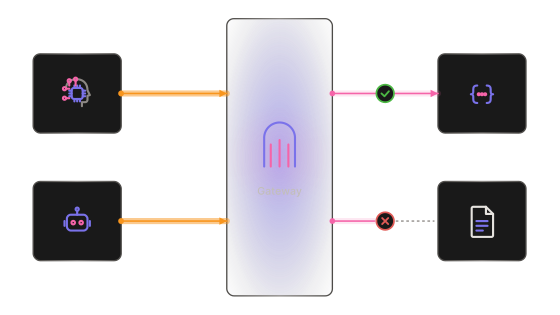 Agent Gateway8 chapters
Protect an MCP server with Agent Gateway and external token exchange: Google Drive behind the MCP proxy
Put the IndyKite Agent Gateway (IAG) in MCP proxy mode in front of any MCP server - demonstrated end to end with a Google Drive MCP server in the iag-mcp-demo reference app.
- Ch. 1: What MCP proxy mode is
- Ch. 2: How the gateway handles an MCP request
- Ch. 3: Set up Google Drive access
- Ch. 4: The Google Drive MCP server container
- Ch. 5: Model the wf-drive workflow in the IKG
- Ch. 6: Configure the drive-mcp-iag gateway
- Ch. 7: Run a Google Drive search through the gateway
- Ch. 8: Verify denials and read the audit trail
Agent Gateway8 chaptersIntent-based access control with Agent Gateway: the Intent Agent, the Token Service and an external IdP
Run six agents behind six Agent Gateways that ask the Intent Agent what every prompt means before it reaches an agent, with users and agents authenticated by an external identity provider and delegation tokens minted by the IndyKite Token Service - end to end in the intent-ibac-gateway reference app.
- Ch. 1: What happens to one prompt
- Ch. 2: The tokens: an external IdP and the Token Service
- Ch. 3: Prepare the identity provider
- Ch. 4: Configure, generate the keys, provision the project
- Ch. 5: The gateway and Token Service configuration
- Ch. 6: Run it: the first prompt
- Ch. 7: Declare what a skill does: x-coaz-mappings
- Ch. 8: Read the audit trail and fix the common failures
Agent Gateway8 chaptersFollow a delegation chain across agents: Agent Gateway with the IndyKite Token Service
Send one prompt through three Agent Gateways - orchestrator, retriever, MCP server - and watch the delegation chain grow hop by hop, with delegation tokens minted by the IndyKite Token Service and users authenticated by an external identity provider, in the ibac-demo reference app.
- Ch. 1: Two ways to get a delegation token
- Ch. 2: One prompt, three hops
- Ch. 3: Prepare the external identity provider
- Ch. 4: Create the signing key and provision the project
- Ch. 5: Configure and start the stack
- Ch. 6: Run the prompts and read the decisions
- Ch. 7: The chain as a rule in your data policies
- Ch. 8: Going further and troubleshooting
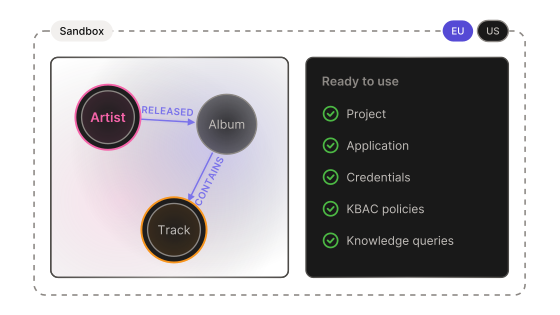 ContX IQ10 chapters
Build IndyKite end-to-end with the music dataset
Download the music-dataset Postman collection and follow the chapters to set up an IndyKite environment, ingest a music graph, and wire up KBAC and ContX IQ policies, queries, and executes.
- Ch. 1: The music graph: nodes, relationships, and scenarios
- Ch. 2: Set up the IndyKite environment
- Ch. 3: Configure Token Introspect for end-user identity
- Ch. 4: Configure the MCP Server
- Ch. 5: Ingest the music graph: nodes and relationships
- Ch. 6: KBAC policies: define what's allowed
- Ch. 7: AuthZEN evaluations: yes/no decisions on the music graph
- Ch. 8: ContX IQ policies: context-aware data access
- Ch. 9: Knowledge Queries: declare what to read or write
- Ch. 10: Execute the Knowledge Queries against the music graph
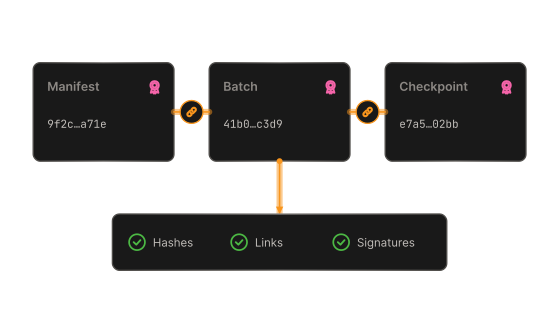 Audit Log7 chapters
Keep a tamper-proof audit trail: sign, export and verify a project's audit log
From an empty project to an independently verified export: grant the Audit permission, declare who holds the signing key, produce audit events, page the signed batches, manifests and checkpoints out of the Audit Log API, and check every hash and signature offline, against keys you fetched and kept yourself.
Audit Log5 chaptersAccept a tamper-proof audit log deployment: produce, read, verify
A go/no-go test for a freshly deployed tamper-proof audit log: produce a handful of audit events, read the signed batches and the public keys back through the API, verify one page offline with a single-file Go program, read every line of its output, then break the page on purpose and watch it fail.