Outbound Events: Stream Graph Data Changes to Kafka
This example streams Capture audit events (node upserts and deletes) to Kafka:
Event types covered:
- indykite.audit.capture.upsert.node (node created/updated)
- indykite.audit.capture.delete.node (node deleted)
- indykite.audit.capture.* (all capture events)
Note: these are Capture audit events, not CDC. CDC (Change Data Capture) events carry the full
before/after state of a change, use the indykite.audit.cdc.* event types, and are enabled per
provider with include_cdc_events - see the Outbound Events guide.
Filtering capability:
Filter events by node label and property values to receive only relevant changes.
Example: Only stream events for Car nodes where manufacturer="pontiac"
Use case
Scenario: Stream car inventory changes to an external analytics system, but only for Pontiac vehicles.
Event filter configuration:
- Event type: indykite.audit.capture.*
- Label filter: "Car"
- Property filter: manufacturer = "pontiac"
Events generated:
1. Ingest Car(manufacturer:"pontiac") -> Event sent
2. Ingest Car(manufacturer:"ford") -> No event (filtered out)
3. Update Car(manufacturer:"pontiac") -> Event sent
4. Delete Car(manufacturer:"pontiac") -> Event sent
This enables selective streaming without overwhelming your analytics pipeline.
Requirements
Prerequisites:
- ServiceAccount credentials: For configuration (Bearer token)
- AppAgent credentials: For data ingestion (X-IK-ClientKey)
- Confluent Cloud: API key and Kafka topic ready
Terraform documentation for filter syntax:
https://registry.terraform.io/providers/indykite/indykite/latest/docs/resources/event_sink
Steps
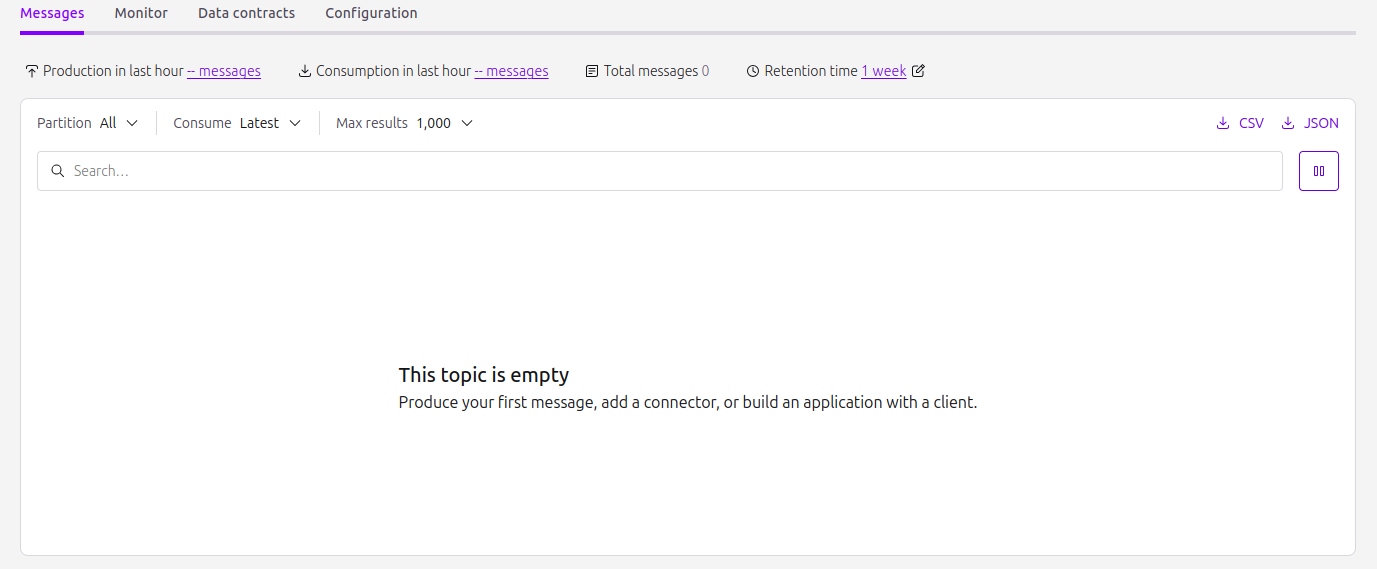
Step 1: Create Kafka Topic
- Action: Set up topic on Confluent Cloud for receiving car events
Step 2: Create Event Sink Configuration
- Authentication: ServiceAccount credential (Bearer token)
- Action: POST Event Sink with filters:
- eventType: "indykite.audit.capture.*"
- nodeLabel: "Car"
- propertyFilter: {manufacturer: "pontiac"}
- Result: Event Sink active
Step 3: Ingest Initial Car Nodes
- Authentication: AppAgent credential (X-IK-ClientKey)
- Action: POST Car nodes including some with manufacturer="pontiac"
- Result: Events sent for matching nodes only
Step 4: Ingest Additional Matching Nodes
- Action: POST more Car(manufacturer:"pontiac") nodes
- Result: Each matching node generates an event
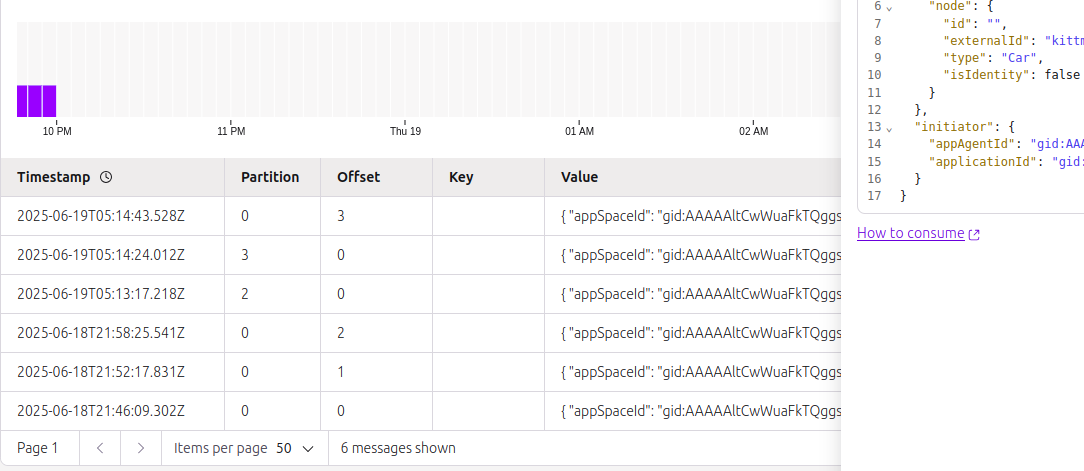
Step 5: Verify Event Delivery
- Check Kafka topic for received events
- Verify non-matching nodes (other manufacturers) did not generate events
Step 2
Create an EventSink configuration.
{
  "project_id": "your_project_gid",
  "description": "description of eventsink",
  "display_name": "eventsink name",
  "name": "eventsink-name",
  "providers": {
    "provider-with-kafka": {
      "include_cdc_events": false,
      "kafka": {
        "brokers": [
          "http://your-destination:9092"
        ],
        "disable_tls": false,
        "tls_skip_verify": false,
        "topic": "topic_signal",
        "username": "api_key",
        "password": "api_key_secret"
      }
    }
  },
  "routes": [
    {
      "provider_id": "provider-with-kafka",
      "event_type_key_values_filter": {
        "context_key_value": [
          {
            "key": "manufacturer",
            "value": "pontiac"
          },
          {
            "key": "captureLabel",
            "value": "Car"
          }
        ],
        "event_type": "indykite.audit.capture.upsert.node"
      },
      "stop_processing": true,
      "display_name": "Configuration Audit Events"
    }
  ]
}
Step 3
Capture the nodes needed for this use case.
{
  "nodes": [
    {
      "external_id": "alice",
      "is_identity": true,
      "type": "Person",
      "properties": [
        {
          "type": "email",
          "value": "alice@email.com"
        },
        {
          "type": "given_name",
          "value": "Alice"
        },
        {
          "type": "last_name",
          "value": "Smith"
        }
      ]
    },
    {
      "external_id": "knightrider",
      "type": "Person",
      "is_identity": true,
      "properties": [
        {
          "type": "email",
          "value": "knightrider@demo.com"
        },
        {
          "type": "name",
          "value": "Michael Knight"
        }
      ]
    },
    {
      "external_id": "satchmo",
      "type": "Person",
      "is_identity": true,
      "properties": [
        {
          "type": "email",
          "value": "satchmo@demo.com"
        },
        {
          "type": "name",
          "value": "Louis Armstrong"
        }
      ]
    },
    {
      "external_id": "karel",
      "type": "Person",
      "is_identity": true,
      "properties": [
        {
          "type": "email",
          "value": "karel@demo.com"
        },
        {
          "type": "name",
          "value": "Karel Plihal"
        }
      ]
    },
    {
      "external_id": "kitt",
      "type": "Car",
      "is_identity": false,
      "properties": [
        {
          "type": "manufacturer",
          "value": "pontiac"
        },
        {
          "type": "model",
          "value": "Firebird"
        }
      ]
    },
    {
      "external_id": "cadillacv16",
      "type": "Car",
      "is_identity": false,
      "properties": [
        {
          "type": "manufacturer",
          "value": "Cadillac"
        },
        {
          "type": "model",
          "value": "V-16"
        }
      ]
    },
    {
      "external_id": "harmonika",
      "type": "Bus",
      "is_identity": false,
      "properties": [
        {
          "type": "manufacturer",
          "value": "Ikarus"
        },
        {
          "type": "model",
          "value": "280"
        }
      ]
    },
    {
      "external_id": "listek",
      "type": "Ticket",
      "is_identity": false
    },
    {
      "external_id": "airbook-xyz",
      "type": "Laptop",
      "is_identity": false
    }
  ]
}
Step 4
Capture the nodes needed for this use case.
{
  "nodes": [
    {
      "external_id": "kitten",
      "type": "Car",
      "is_identity": false,
      "properties": [
        {
          "type": "manufacturer",
          "value": "pontiac"
        },
        {
          "type": "model",
          "value": "Bonneville"
        }
      ]
    },
    {
      "external_id": "kitty",
      "type": "Car",
      "is_identity": false,
      "properties": [
        {
          "type": "manufacturer",
          "value": "pontiac"
        },
        {
          "type": "model",
          "value": "Catalina"
        }
      ]
    }
  ]
}